School Management
School Management - a platform for a fictional school in Bangladesh, covering online admissions, attendance, a mark sheet approval workflow, published results and report cards, invoices and payments, and portals for teachers, students and parents. Built with Laravel 13 and React.
- Pet Project
- Education
- School Management
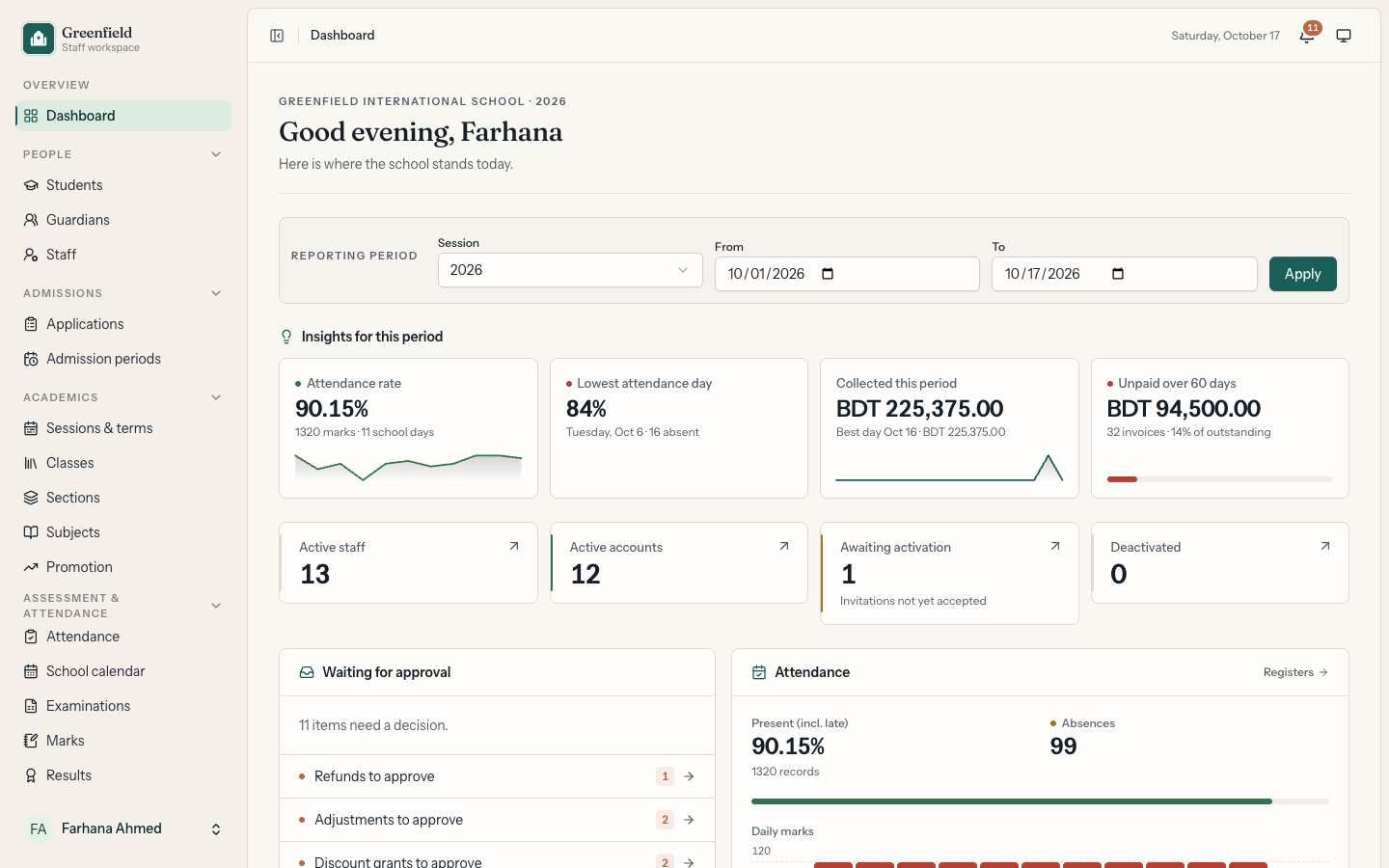
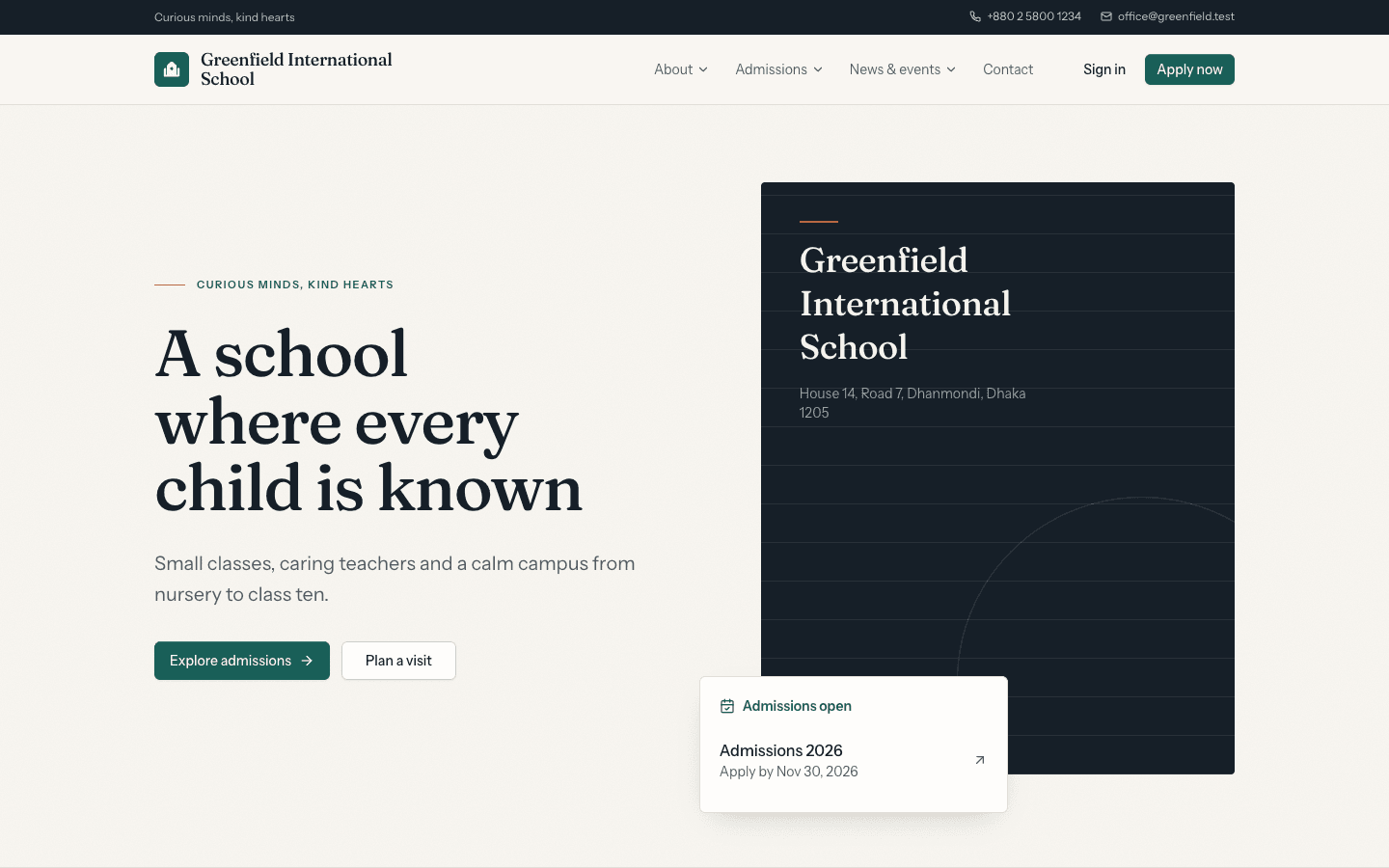
School Management is a platform that runs a whole school from one place, shown here for Greenfield International School, a fictional school in Dhaka, Bangladesh. Families find the school and apply online through its public website. Staff handle admissions, students and guardians, classes, attendance, examinations, results and fees from a role-based workspace. Teachers, students and parents each get their own portal. The school, its staff, students and families are invented.
At a glance
- Role: Solo full-stack developer. I did the product design, backend, frontend, testing and deployment.
- Stack: Laravel 13, PHP 8.4, Inertia v3, React 19, TypeScript, Tailwind CSS v4, shadcn/ui, Spatie Laravel Permission, mPDF, Pest
- Quality: 546 automated tests, PHPStan level 7, Pint, linting and type checks
- Live demo: sms.msar.dev
The problem
Many schools in Bangladesh still keep attendance in registers, marks in spreadsheets and fees in a ledger book, so a parent asking "what does my child owe, and how did they do this term?" means three people checking three places. The goal was one system where:
- families apply online and can check their application without calling the office
- teachers take attendance and enter marks, but a result only reaches parents after it has been reviewed and approved
- a published result never changes silently, and any correction leaves a trail
- every taka billed, paid, discounted or refunded can be traced to an invoice, a receipt and the person who approved it
- each person sees only what their role allows, and parents see only their own children
Key features
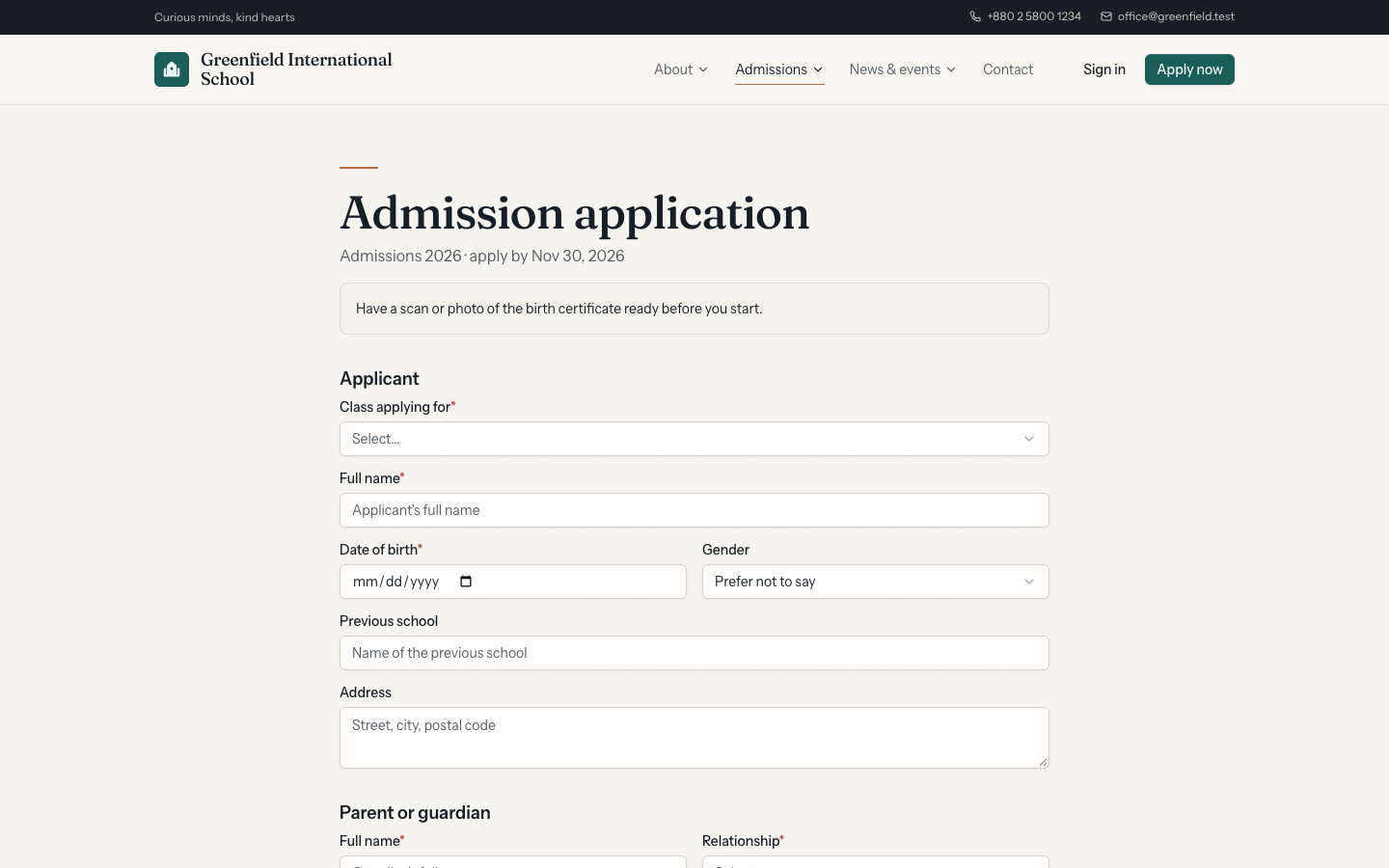
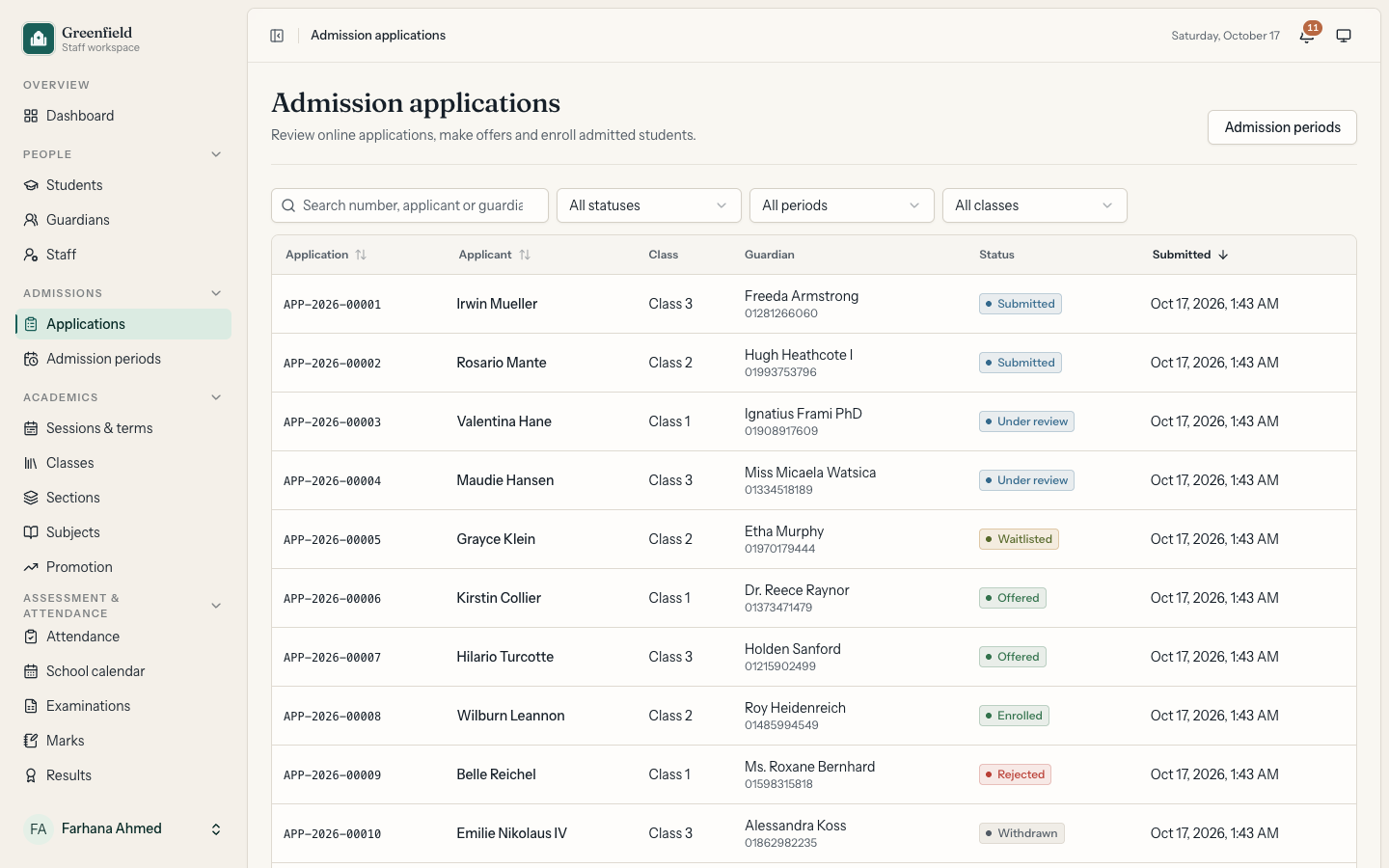
Public website and admissions: A school website with a home page carousel, pages, a notice board, FAQs, a gallery, faculty profiles and a contact form, with a sitemap and robots rules, all managed from the workspace. Admission periods open per class. Families apply online with documents, get an application number and a status code, and can check their status publicly. The admissions office reviews, waitlists, offers or rejects, and turns an accepted offer into an enrolled student.
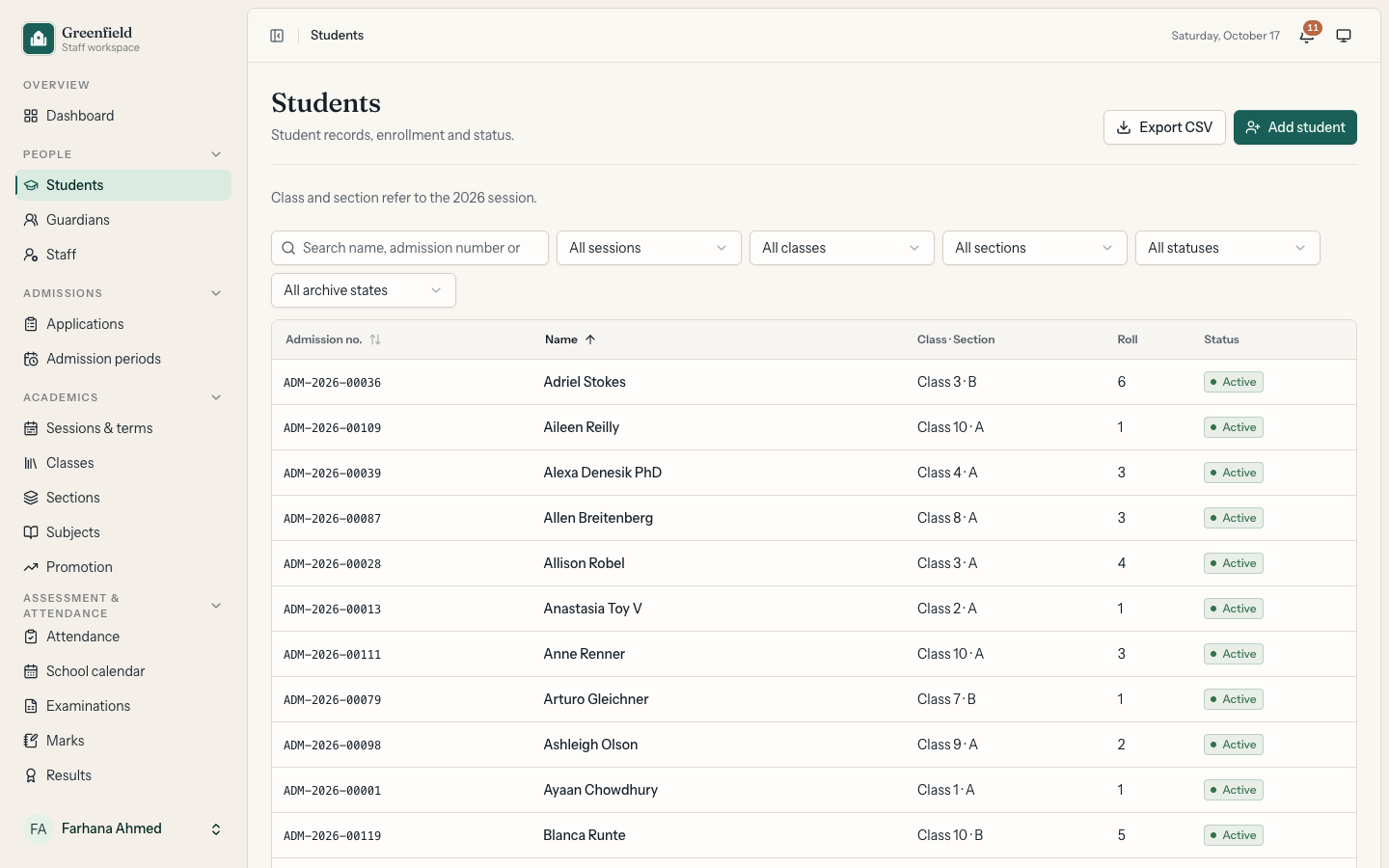
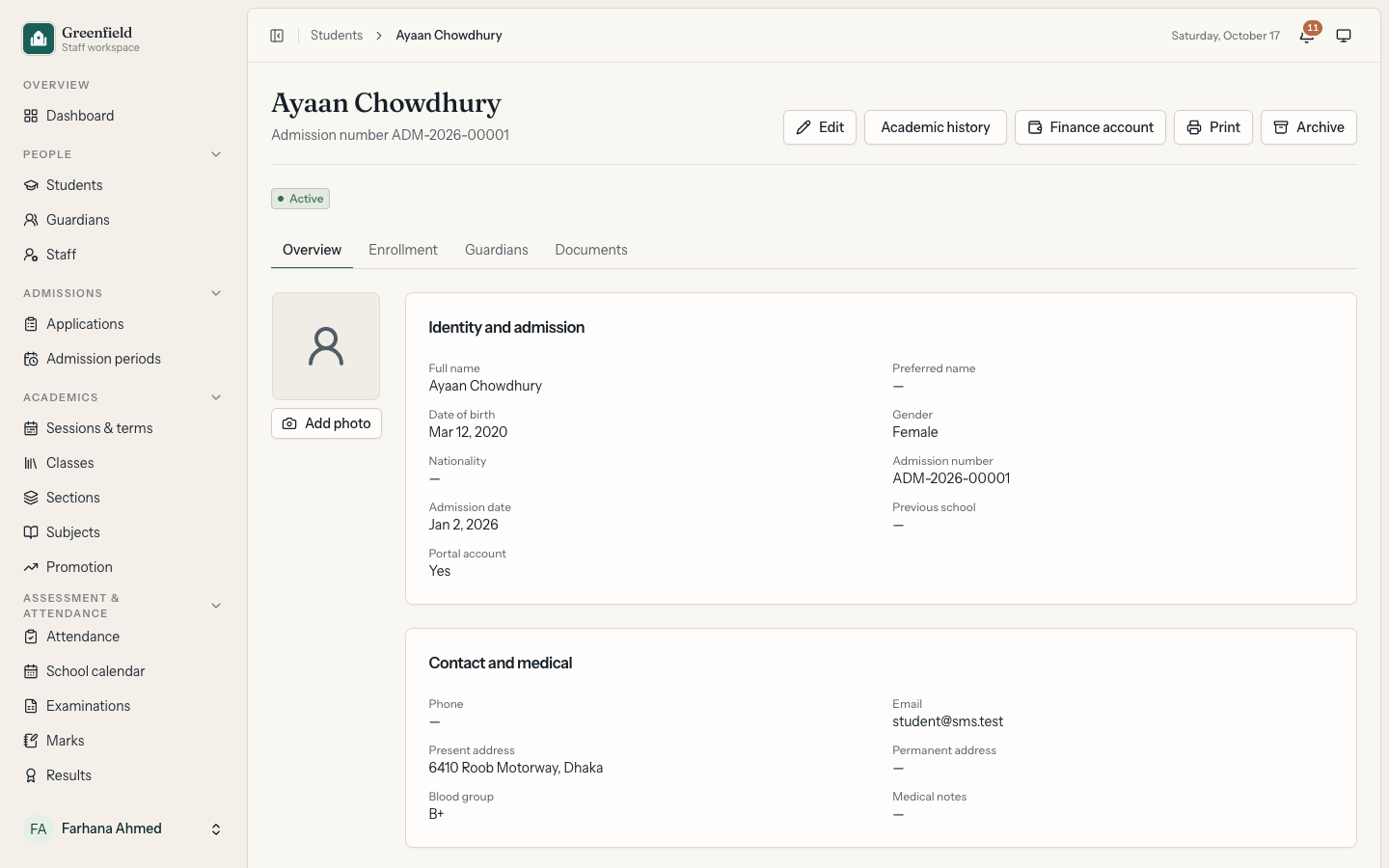
People: Students with profiles, photos, documents and emergency contacts. Guardians linked to one or more children, and staff with departments, designations and compensation records. Staff and families get portal accounts by invitation, with an activation link sent by email.
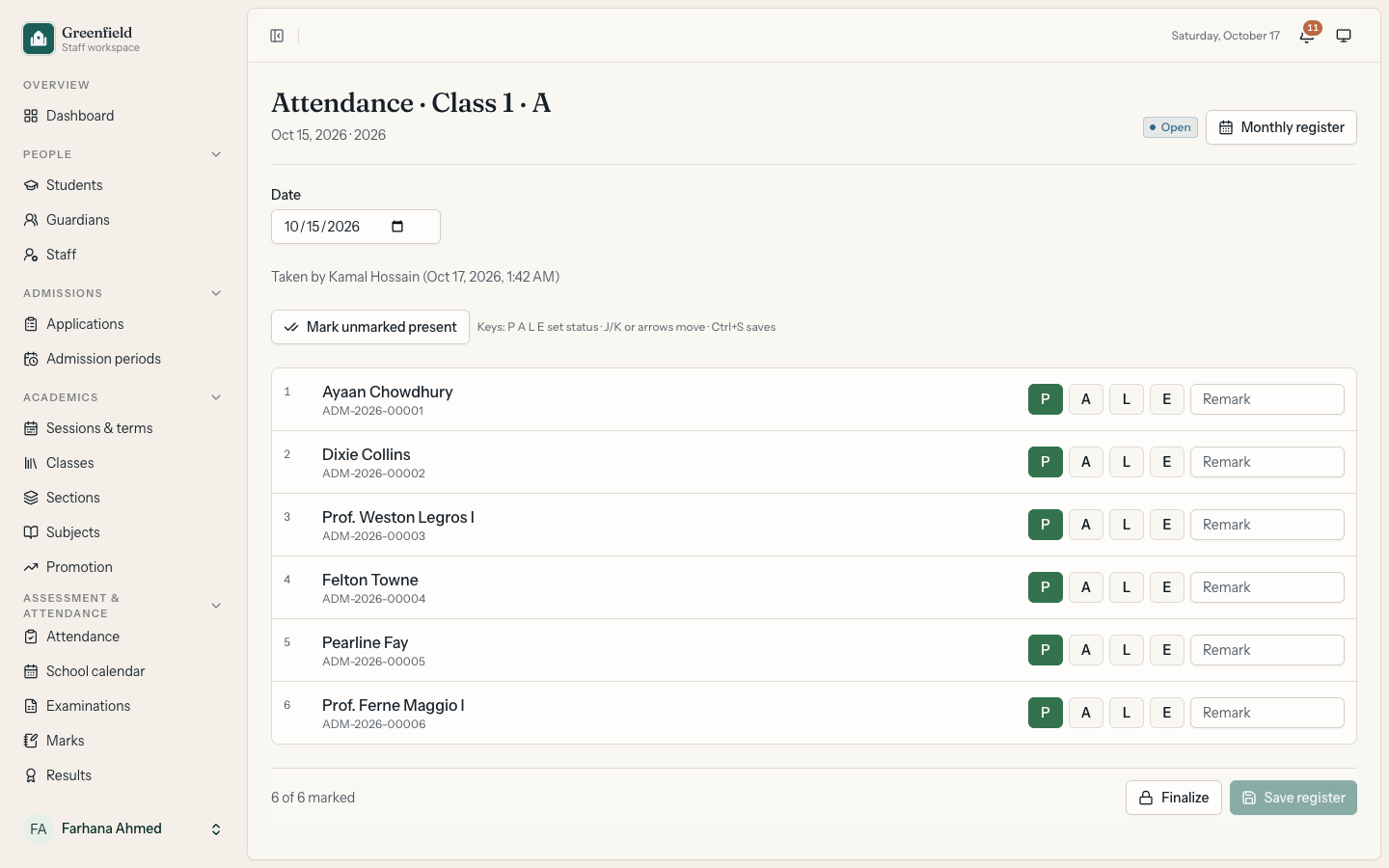
Academics and attendance: Academic sessions and terms, classes, sections, subjects, class curricula and teacher assignments, plus enrolment with section capacity checks and year-end promotion. Teachers take daily registers with keyboard shortcuts. Registers are finalized automatically after a set number of days, and later changes go through a correction request that needs approval. A school calendar marks weekly off days and holidays, and students with low attendance are flagged.
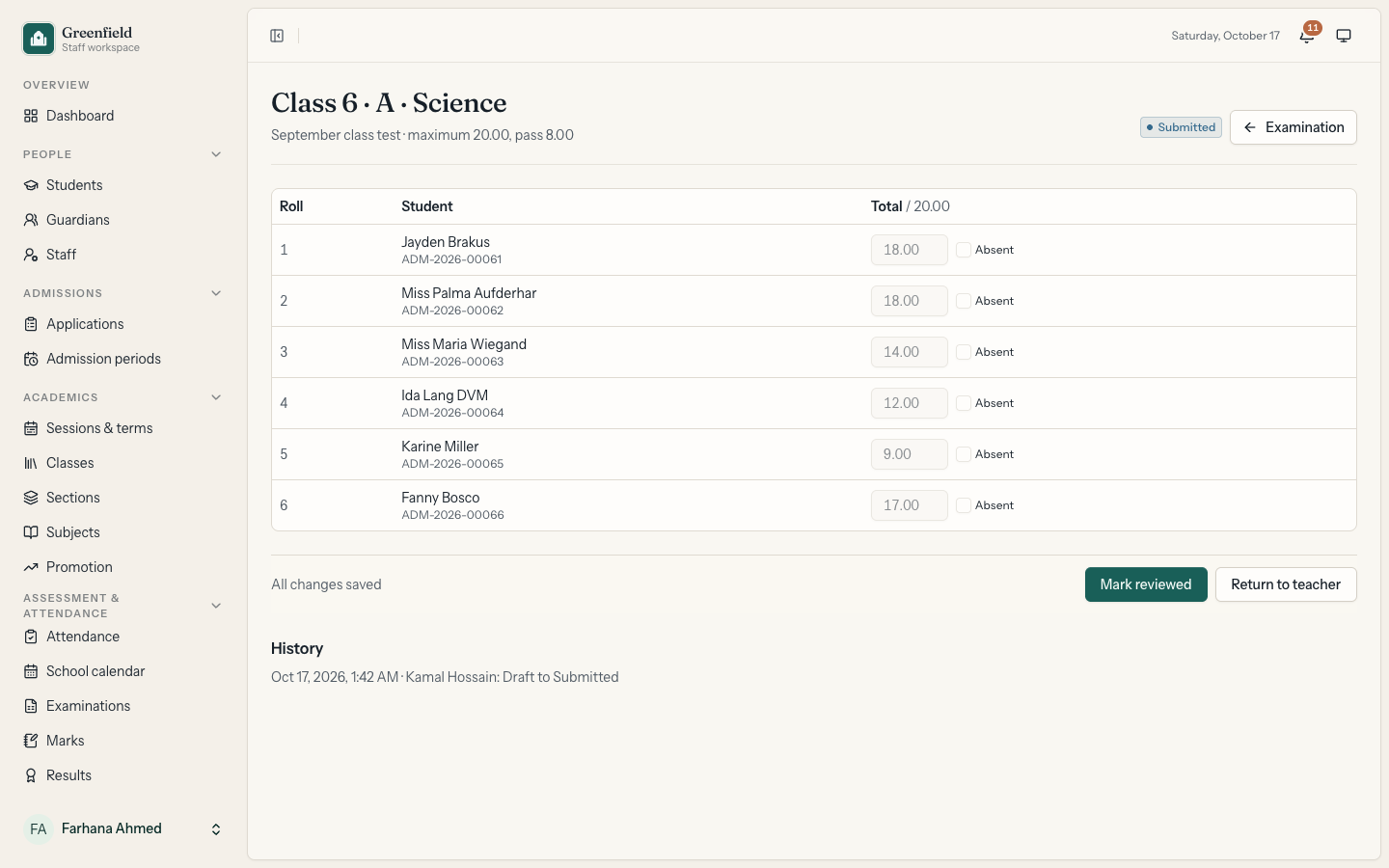
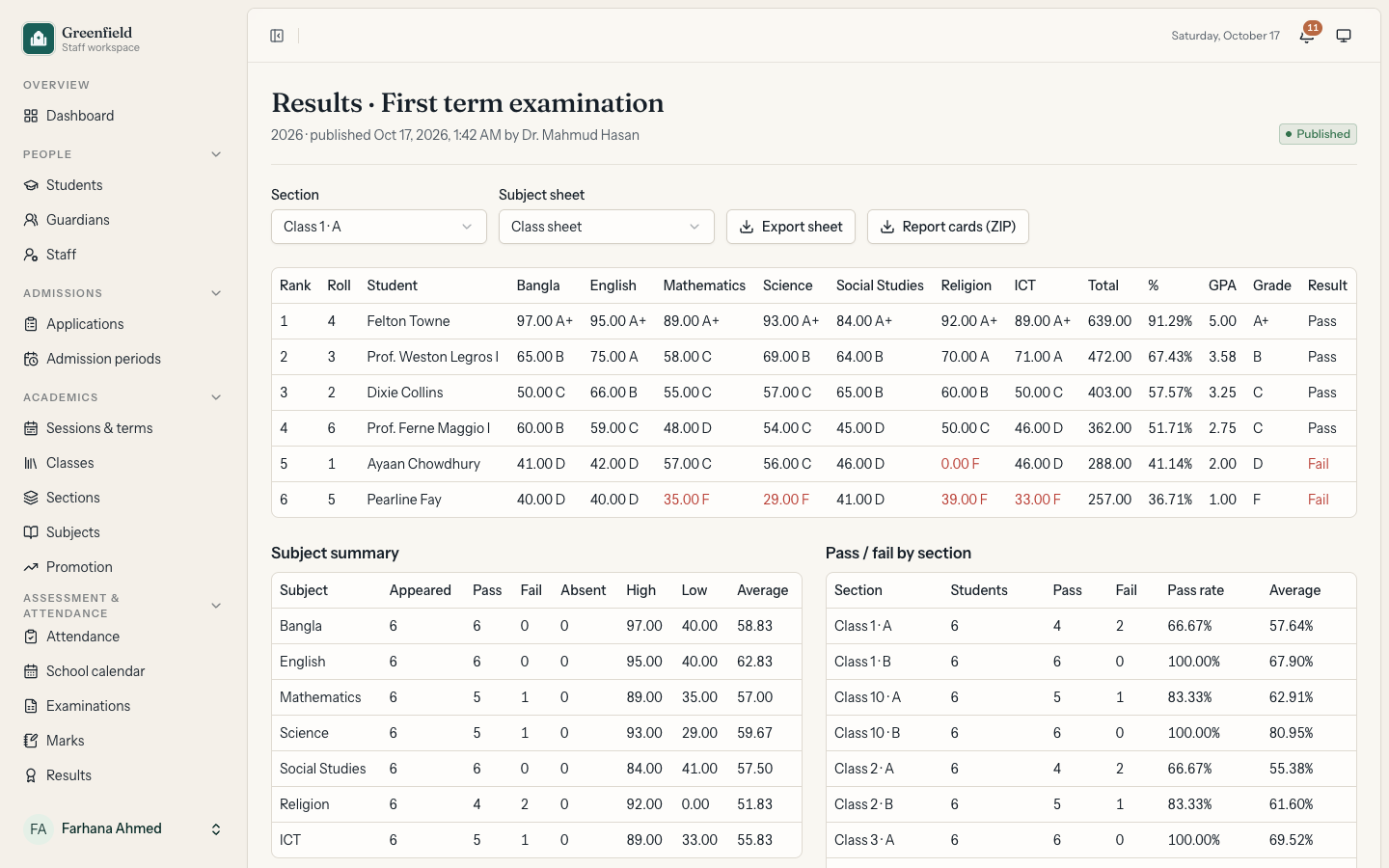
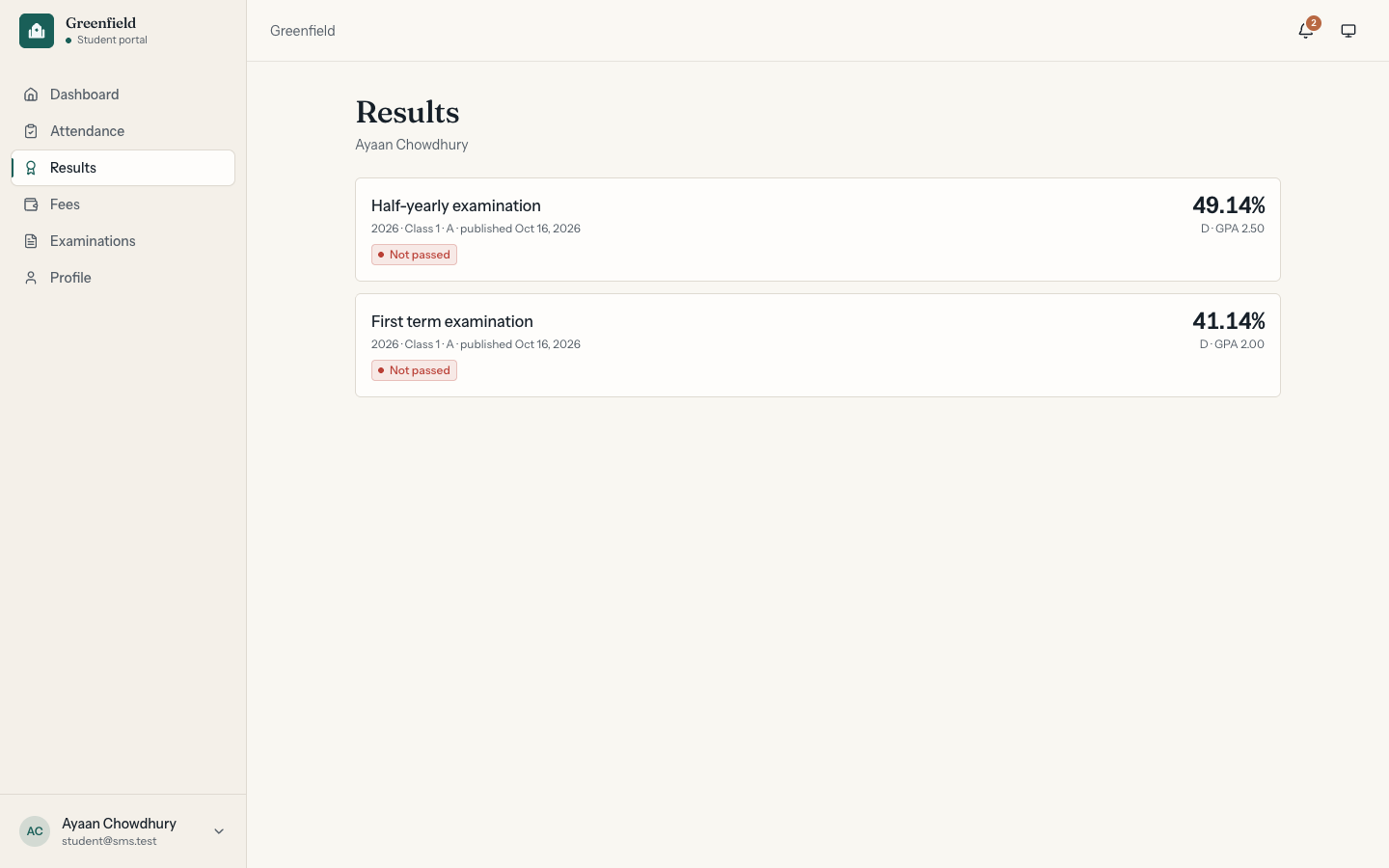
Examinations and results: Examination types, exams with subjects, components and schedules, and versioned grading scales. Mark sheets move from draft to submitted, reviewed and approved before results can be published, and marks can be imported from CSV. Publishing creates ranked results with GPA, grades, subject summaries and pass rates by section, plus PDF report cards that can be downloaded one by one or as a ZIP.
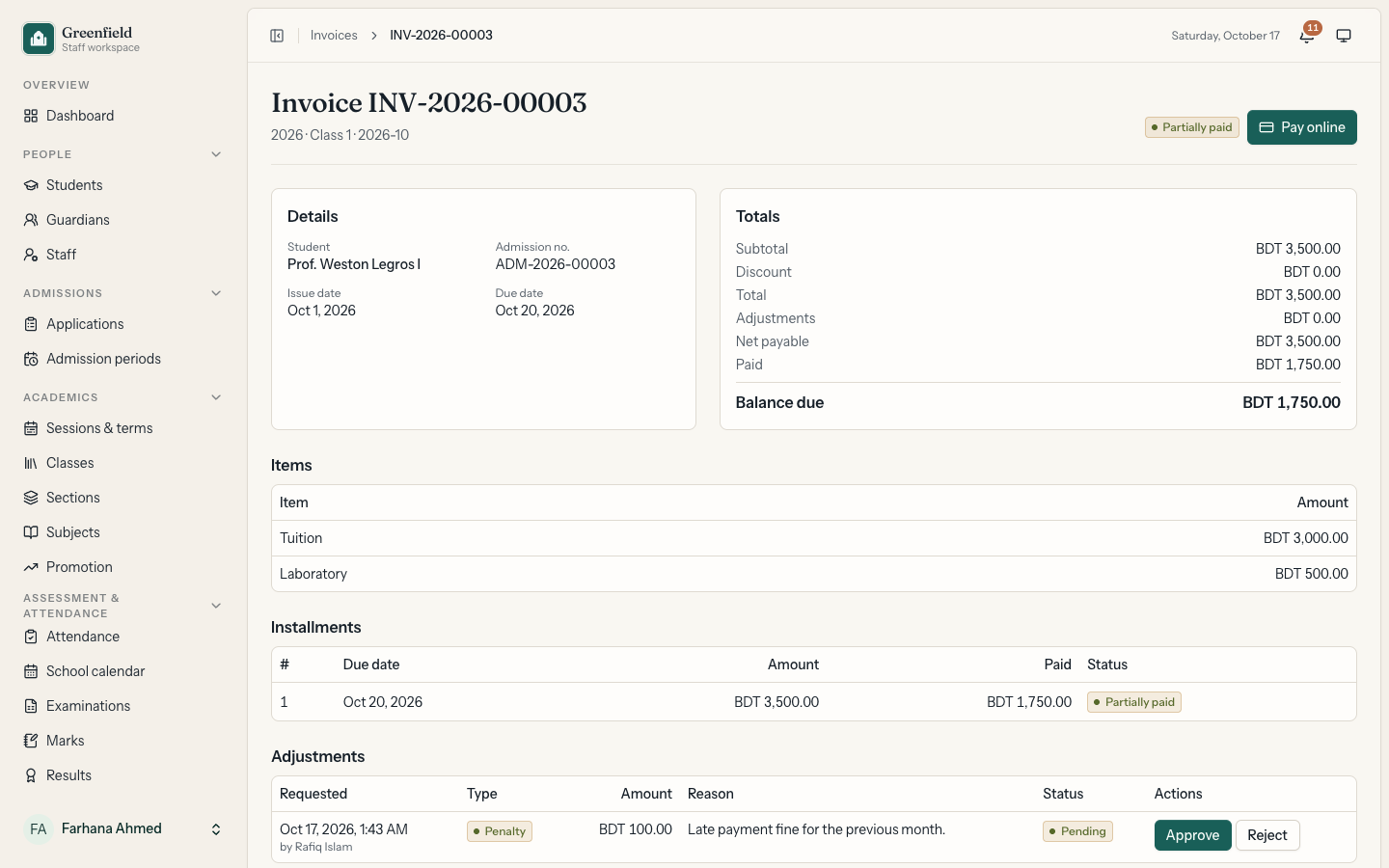
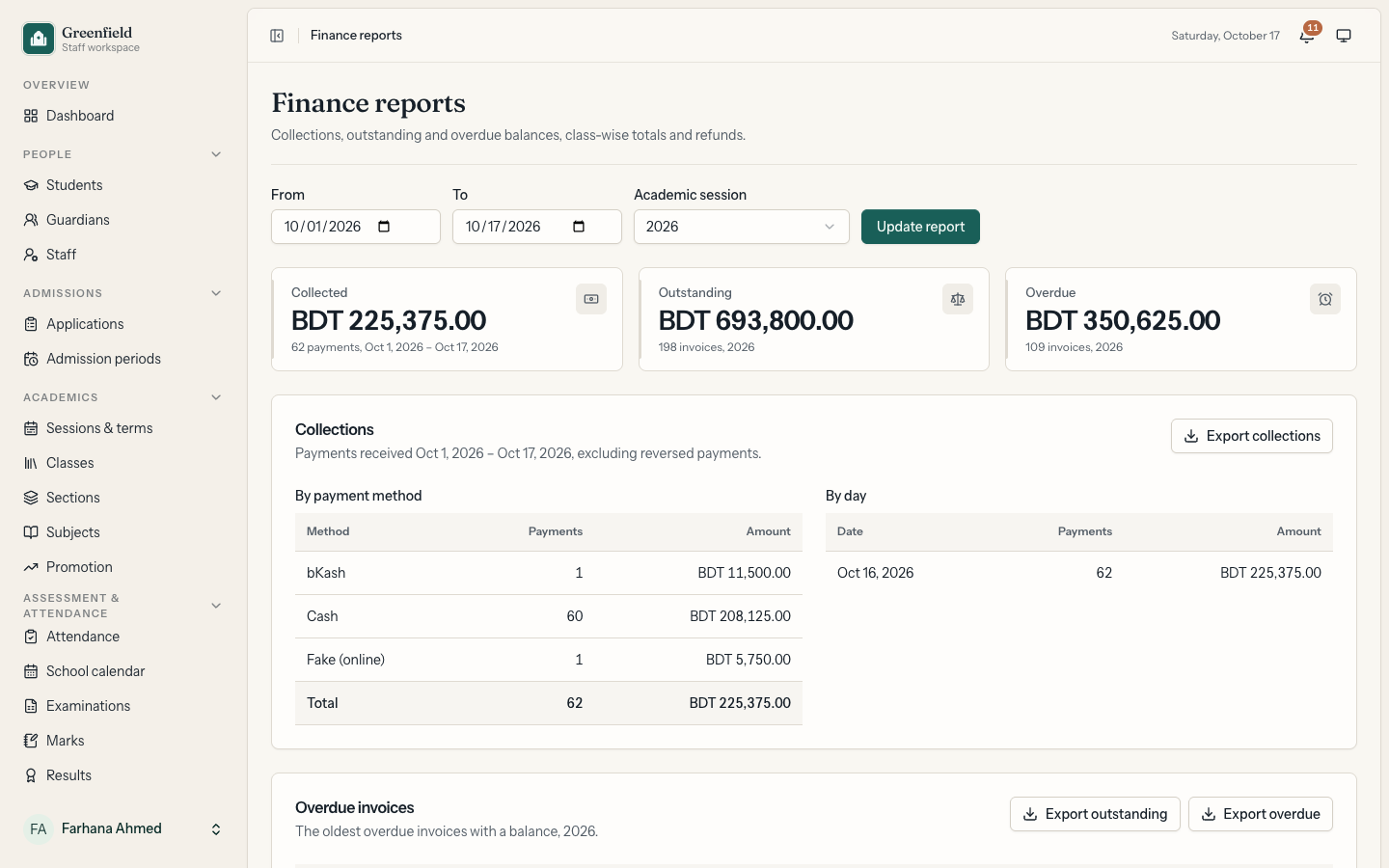
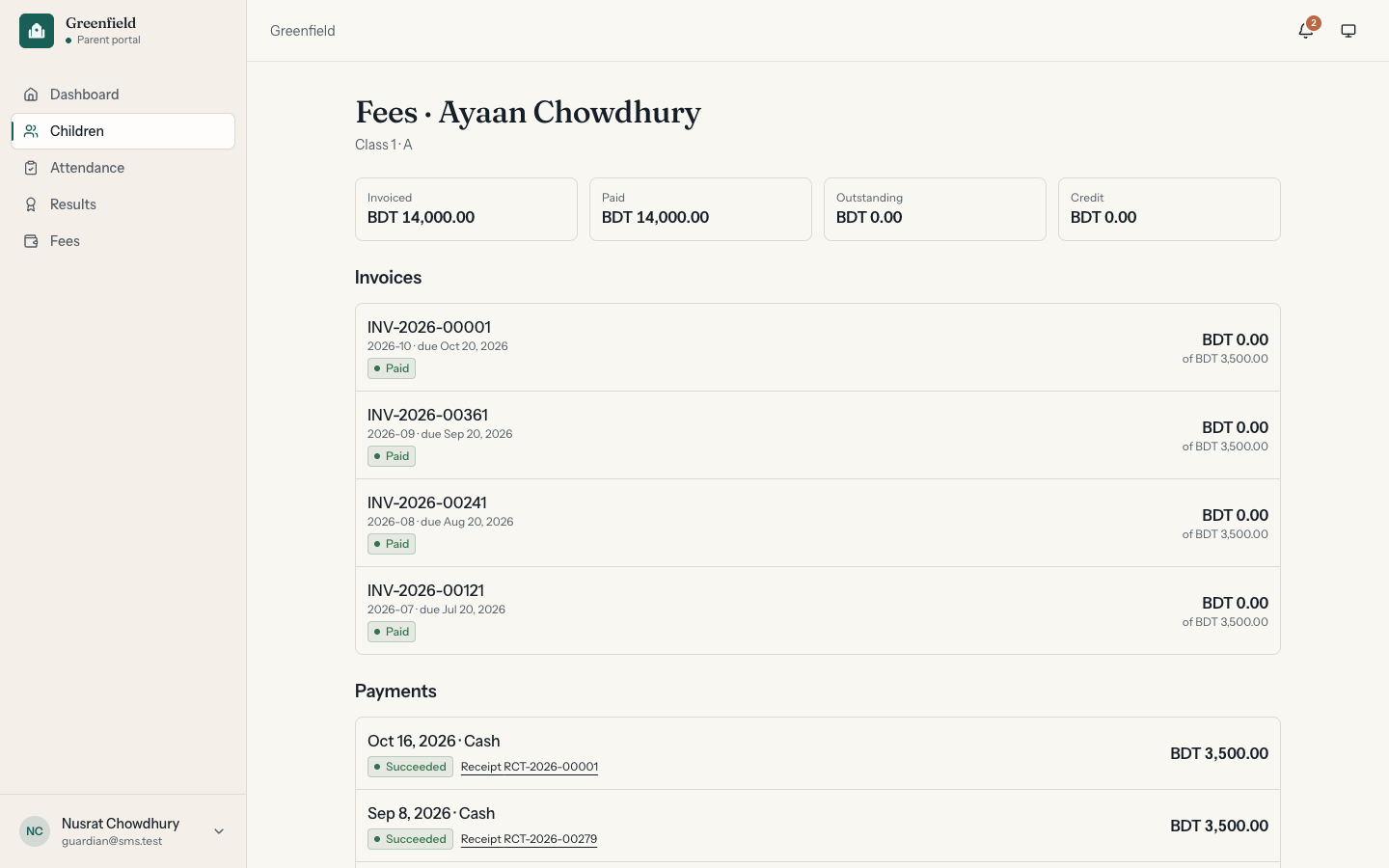
Finance: Fee categories and structures, discounts that need approval, invoice generation with instalments, payments allocated across invoices, receipts, refunds, adjustments such as late fines, student statements, reconciliation and finance reports with CSV exports. Payments go through a gateway interface, with a sandbox gateway for the demo.
Portals: Teachers see their classes, today's registers and the mark sheets they still need to fill. Students see their attendance, examinations, results and fees. Parents see the same for each linked child.
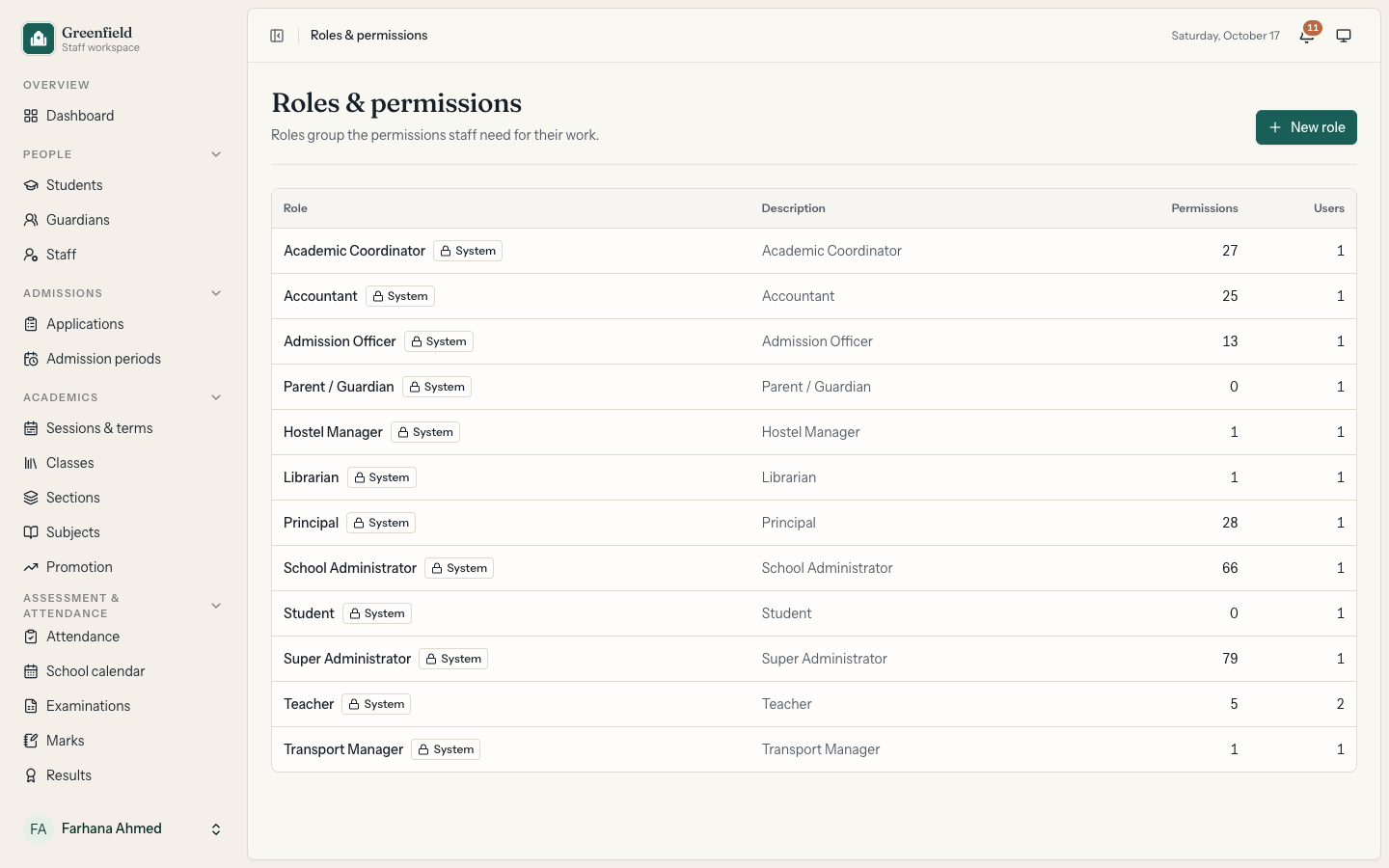
Administration and security: Users, editable roles and permissions, school, academic, finance and website settings, an audit log, queued exports and notification preferences. Login works with email or username. Two-factor authentication is required for the super admin, school admin and accountant roles, and passkeys are supported.
Technical challenges
Results that can't be published early. A mark sheet can only move one step at a time (draft, submitted, reviewed, approved), and each step is done by someone with the right permission while the sheet is locked with SELECT … FOR UPDATE. Publishing locks the examination, checks that nothing is still blocking it, such as a sheet that isn't approved, then calculates every result in one transaction. The grading scale is locked when results are published, so editing the scale later can't change grades that were already sent home.
Corrections without rewriting history. Published results are stored as versioned snapshots. A correction is requested with a reason, approved by someone other than the requester, and written as a new version instead of changing the old rows, so the school can show what a report card said on any date and why it changed. Attendance works the same way: a finalized register can only change through an approved correction request.
Money that always adds up. Amounts are stored in integer poisha. Payment allocations are append-only and signed, so reversing a payment adds negative rows for each invoice instead of deleting anything. A double-submitted form or a replayed webhook returns the original payment instead of recording it twice. Refunds use maker-checker approval: the person who requests a refund can never approve it.
Numbers nobody types by hand. Admission, application, invoice and receipt numbers come from one sequence generator with patterns like ADM-{YYYY}-{SEQ:5}. Each number is reserved inside a transaction, and the counter resets every year.
Parents see only their own children. Every portal page is scoped to the signed-in user. A guardian can only open the records of children linked to them, and a student only their own, so changing an id in the URL returns a 404.
Testing & quality
- 546 Pest tests covering admissions, enrolment and promotion, attendance and corrections, the mark sheet workflow, result publication and corrections, invoices, payments, refunds and allocations, numbering, PDF report cards, exports, portals and their data scoping, roles and permissions, and the public website
- PHPStan level 7 (Larastan) with 0 errors
- Laravel Pint for PHP style, plus linting, formatting and
tscfor the frontend, run in GitHub Actions
Greenfield International School is a fictional school. All staff, students, families and records are invented demo data.
Technologies
Demo Credentials
Sign in to the live demo with any of these accounts.
| Role | Password | |
|---|---|---|
| Principal | [email protected] | password |
| Academic Coordinator | [email protected] | password |
| Admission Officer | [email protected] | password |
| Teacher | [email protected] | password |
| Student | [email protected] | password |
| Guardian | [email protected] | password |